Meetings & Video Calls
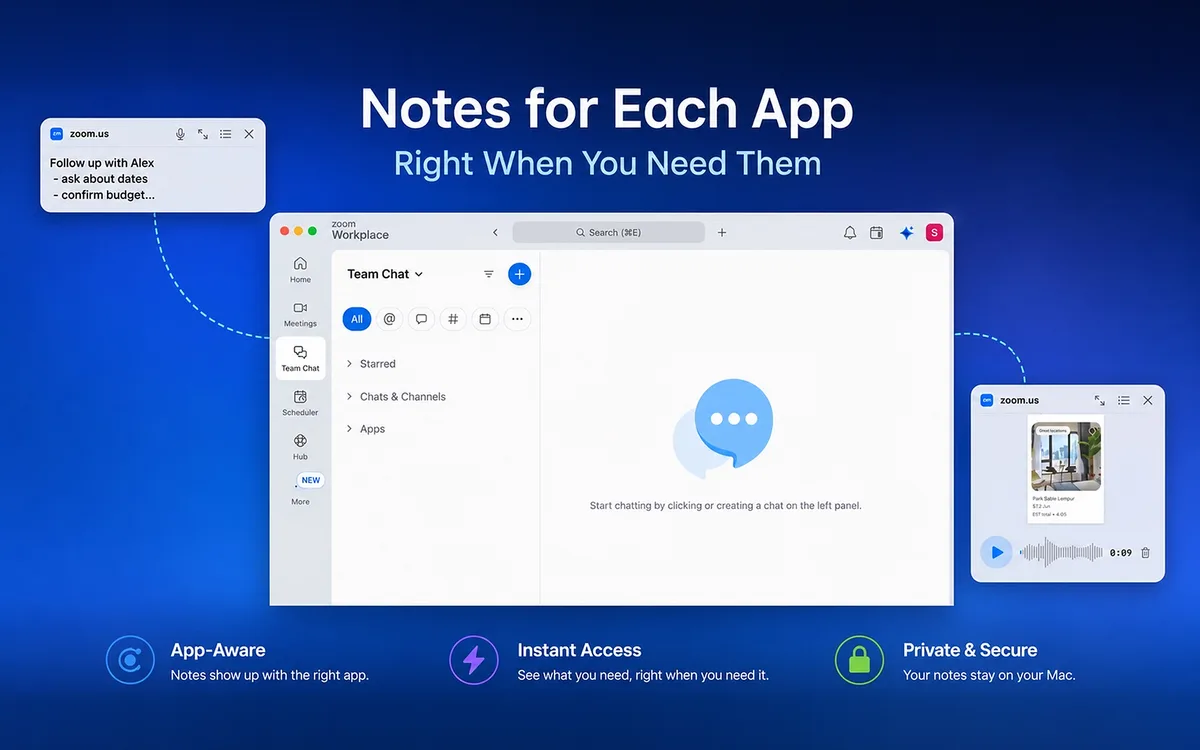
Notes float transparently over your call, so you can read talking points and capture decisions without switching windows. Attendees only see you — prepared and on point.
- Zoom
- Google Meet
- Teams
- FaceTime
Lucid Notes is a macOS note-taking app with a transparent floating window, an auto-scrolling teleprompter, and App-Contextual Notes that attach to apps like Xcode, Figma, and Zoom. No ad tracking, local-first note storage.
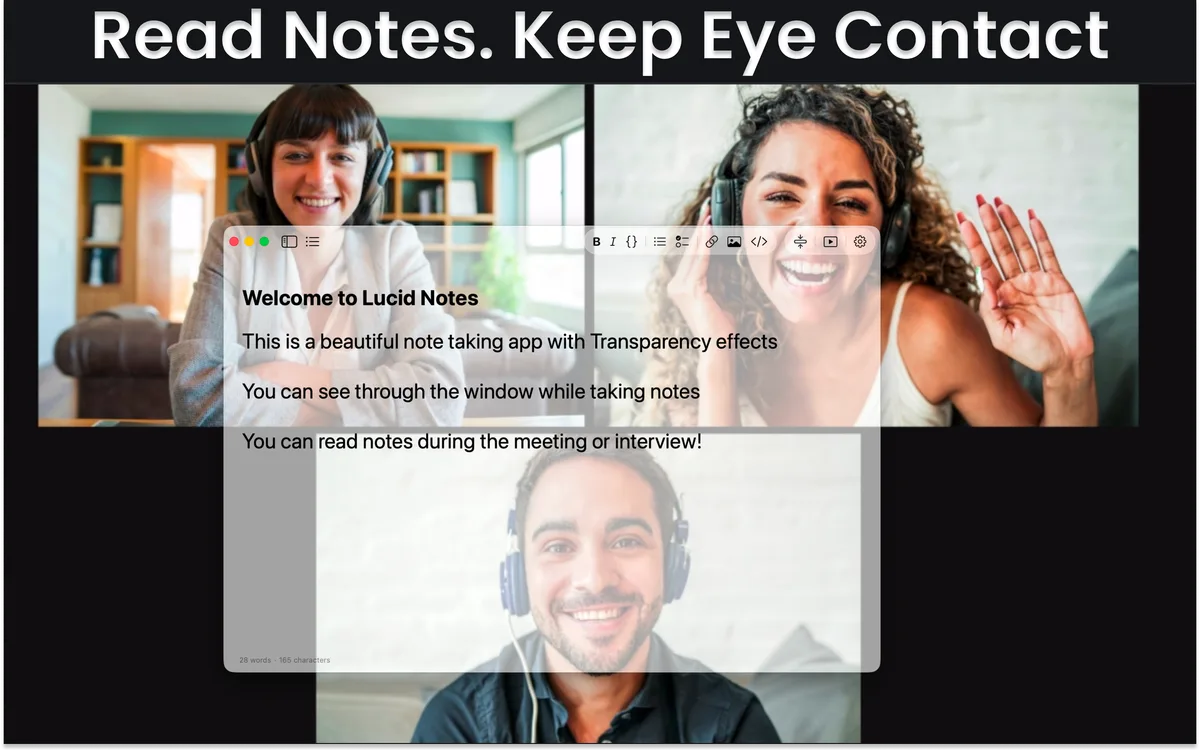
Built for meetings, presentations, speeches, and app-specific work. Your transparent floating notes stay right where you need them — without covering your work.
Notes float transparently over your call, so you can read talking points and capture decisions without switching windows. Attendees only see you — prepared and on point.
Glance at prepared answers or key points while keeping eye contact with the camera — the interviewer never sees you look away.
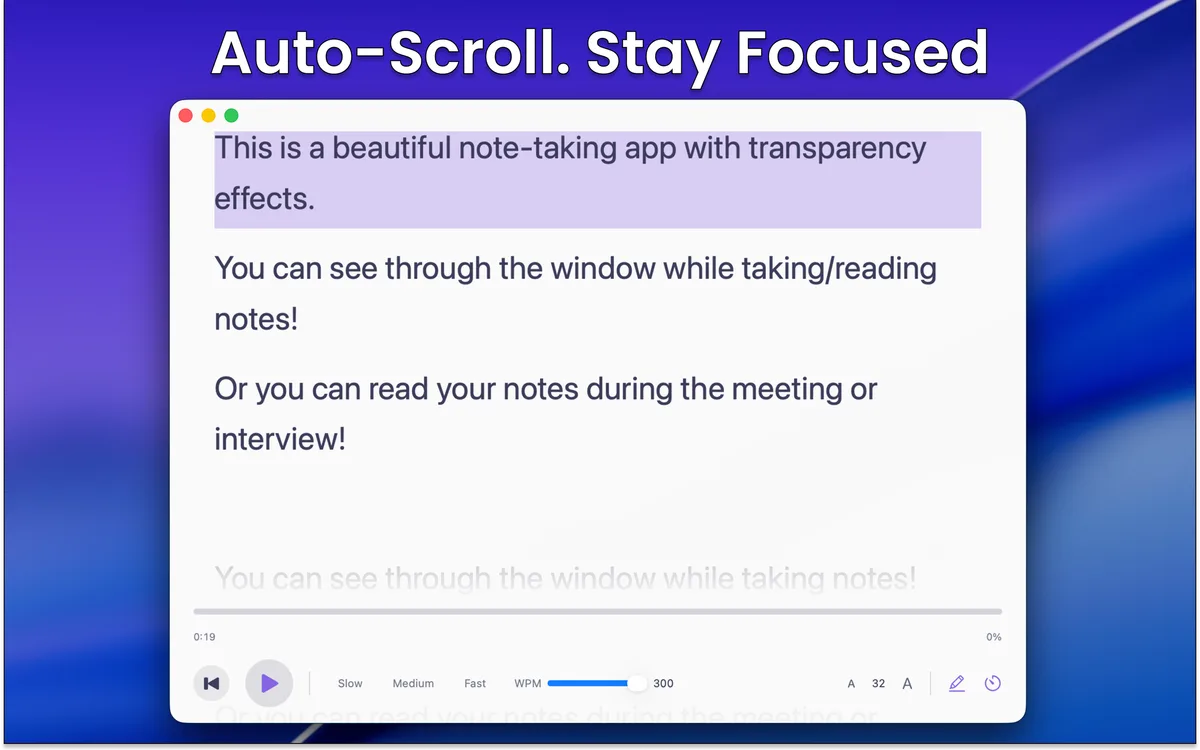
The built-in teleprompter auto-scrolls your script at adjustable speed with line highlighting, so you never lose your place — on stage or on camera.
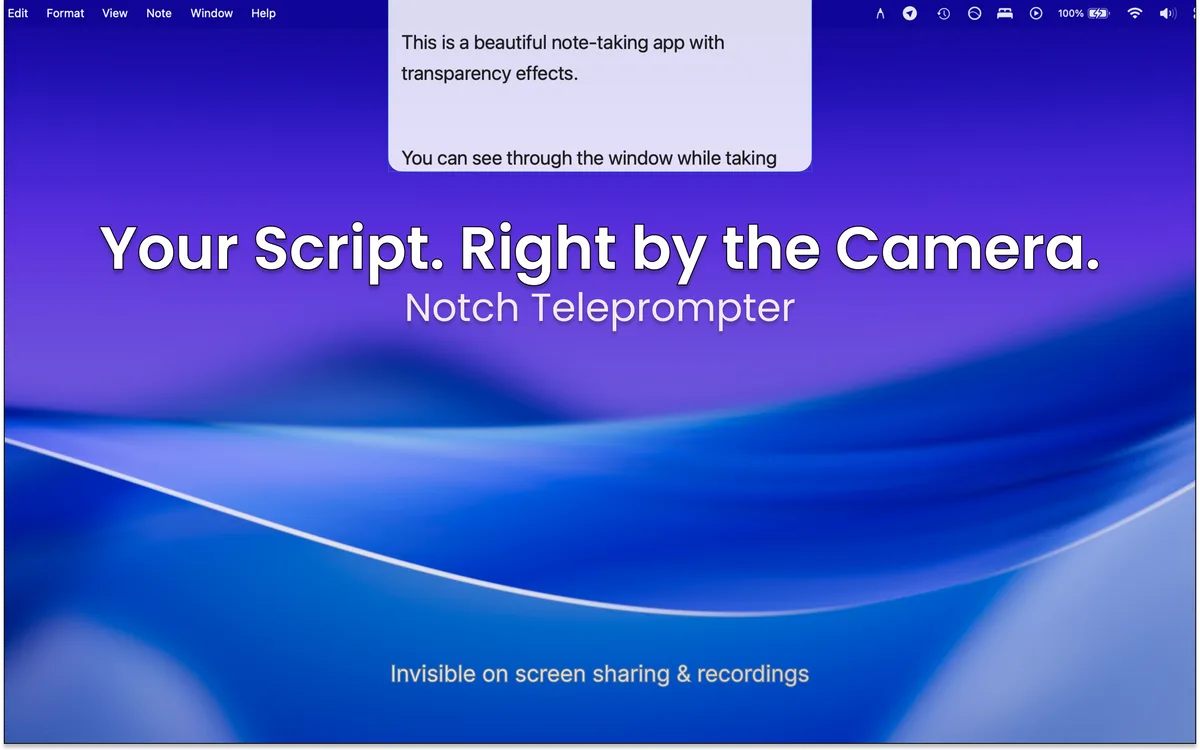
The notch teleprompter is excluded from macOS screen capture. Your script guides you, but it never appears in recordings, screen shares, or streams.
Attach TODOs to Xcode or your browser. Implementation notes surface when you return to that app, then disappear when you switch contexts.
Pin feedback, reference notes, and launch checklists to Figma. They live next to the design instead of buried in a separate workspace.
From blank note to on-screen prompt in under a minute.
Capture talking points, scripts, or checklists with rich text and folders. The free tier starts you with 5 notes.
The transparent, always-on-top window sits over Zoom, Keynote, or any Mac app. Adjust the opacity until it melts into the background.
Run any note as a teleprompter with auto-scroll and line highlighting, positioned near your camera so your eyeline never drops.
Sharing your screen? Share a single window — or use the notch teleprompter, which macOS excludes from on-device screen capture.
Real footage — App-Contextual Notes following your apps as you switch.
Download Lucid Notes free — keep up to 5 notes, the full transparent window, and 3 teleprompter sessions per month.
Lucid Notes combines transparent floating notes, app-contextual note cards, and a built-in teleprompter. Everything you need for distraction-free note-taking — nothing you don't.
Always-on-top window with adjustable transparency. Perfect for taking notes during video calls, interviews, and presentations.
Attach notes to specific Mac apps. Xcode TODOs, Figma references, and Zoom talking points can surface when that app is focused.
Auto-scrolling text with adjustable speed and line highlighting. Perfect for presentations, speeches, and video scripts.
Format your notes with bold, italic, headers, lists, code blocks, and links. Everything you need for organized note-taking.
Organize your notes into folders for easy access. Keep your workspace clean and find what you need instantly.
Seamlessly sync your notes across all your Mac devices. Your notes are always up-to-date, everywhere.
Protect your notes with Touch ID. Auto-lock after idle time keeps your information private.
Export your notes to JSON, Markdown, RTF, PDF, or plain text. Your data is always portable and accessible.
No ad tracking. Notes stay on your device. See Privacy for processor details.
Apple Notes, Notion, Bear, and Obsidian are all excellent in their own categories. None of them keep a transparent, always-on-top window in front of your video call or teleprompter script, or attach floating note cards to specific Mac apps. Here's how Lucid Notes compares.
| Feature | Lucid Notes | Apple Notes | Notion | Bear | Obsidian |
|---|---|---|---|---|---|
| Adjustable window transparency | ✓ | — | — | — | — |
| Built-in teleprompter mode | ✓ | — | — | — | — |
| App-contextual note cards | Free + Pro | — | — | — | — |
| Built-in iCloud sync | Pro tier | ✓ | Own cloud | Pro tier | iCloud Drive |
| Native macOS app (not Electron) | ✓ | ✓ | — | ✓ | — |
| Price model | Free + Pro upgrades | Free | Freemium subscription | Freemium (Pro) | Free • optional paid add-ons |
Apple Notes is the strongest free general-purpose option for everyday capture. Notion excels at team collaboration, wikis, and databases. Bear offers a clean writing experience for long-form markdown notes. Obsidian is best for linked-thinking and local-first markdown vaults across platforms. Lucid Notes is built for one specific job: keeping a transparent, always-on-top note, teleprompter, or app-specific note card visible while you talk to a camera, present, code, design, or run a meeting on macOS.
Comparison as of June 2026 and reflects built-in features; third-party plugins and extensions are not counted. Features and pricing change over time — verify on each app's website. All trademarks are the property of their respective owners. Lucid Notes is not affiliated with Apple, Notion, Bear, or Obsidian.
Obsidian pricing checked September 8, 2026: personal and commercial use are free. Its commercial support license, Sync, and Publish are optional purchases. See Obsidian’s pricing and license FAQ.
Two minutes to install. Works with Zoom, Meet, Teams, FaceTime — and any other app.
Lucid Notes is free to download from the Mac App Store. The Free tier supports up to 5 notes and includes the transparent floating window, 3 teleprompter and 3 typewriter sessions per month, App-Contextual Notes for 3 apps, and full export. Pro unlocks unlimited notes, teleprompter and typewriter sessions, and App-Contextual Notes, plus iCloud sync, App Lock with Touch ID, and premium themes — sold as a monthly or yearly subscription, or a one-time lifetime purchase. Pro pricing is localized per region on the App Store.
Perfect for trying out Lucid Notes
For power users who need more
Everything you need to know about Lucid Notes.
Lucid Notes is the best transparent notes app for macOS. It features an always-on-top floating window with adjustable transparency, a built-in teleprompter with auto-scroll, rich text editing, folder organization, and iCloud sync — with no ad tracking and local-first note storage. It's available as a free download on the Mac App Store. Browse the how-to guides →
App-Contextual Notes are floating Lucid Notes cards that attach to specific Mac apps. When you focus an app like Xcode, Figma, or Zoom, relevant note cards can appear for that context. The free tier includes contextual notes for 3 apps (2 notes per app); Pro removes the limits. Learn more about contextual notes →
Yes, Lucid Notes has a built-in teleprompter mode with adjustable auto-scroll speed and line highlighting. You can load any note as a teleprompter script, set your preferred scroll speed, and the transparent floating window stays on top of your presentation or camera app. The Free tier includes 3 teleprompter sessions per month. See the teleprompter in depth →
Yes. The floating window stays on top of any app, including Zoom, Google Meet, Microsoft Teams, FaceTime, and any other video conferencing tool. Your notes are always visible during video calls without needing a second monitor or split screen. How it works with Zoom →
Yes, Lucid Notes uses a transparent always-on-top window that floats over all other applications. You can adjust the transparency level so you can see both your notes and the app behind them. This makes it ideal for reading notes during meetings, presentations, and interviews.
Unlike Apple Notes, Lucid Notes features a transparent floating window that stays on top of other apps, a built-in teleprompter with auto-scroll, and adjustable window transparency. Apple Notes is a general-purpose note app, while Lucid Notes is purpose-built for professionals who need visible notes during meetings, presentations, and speeches. Read the full comparison →
Your notes stay on your device. Lucid Notes collects no name, email, location, ad identifiers, or note content. See the Privacy Policy for the full list of third-party processors and what each receives. With Pro, iCloud sync uses your own Apple account with Apple's encryption — we never see your notes. Read the Privacy Policy →
Core note-taking works offline. Notes are stored locally on your Mac, so they remain accessible without an internet connection. iCloud sync and the Feature Board require internet access.
Lucid Notes is currently available exclusively for macOS 14.0 (Sonoma) or later. It runs natively on both Apple Silicon and Intel Macs. Windows and iPad versions are not available at this time.
Lucid Notes supports exporting to JSON, Markdown, RTF, PDF, and plain text. All export formats are available on both Free and Pro plans, so your data is always portable and accessible. How to move notes in and out →
Lucid Notes requires macOS 14.0 (Sonoma) or later. It runs natively on both Apple Silicon (M1, M2, M3, M4) and Intel Macs.